The whole toolkit / BATIQ features
Quite a lot,
actually.
The showcase is just the opening act. Here’s what’s already in the box, from the first Read to the final Write.
66 things to play with9 creative cornersFree to explore
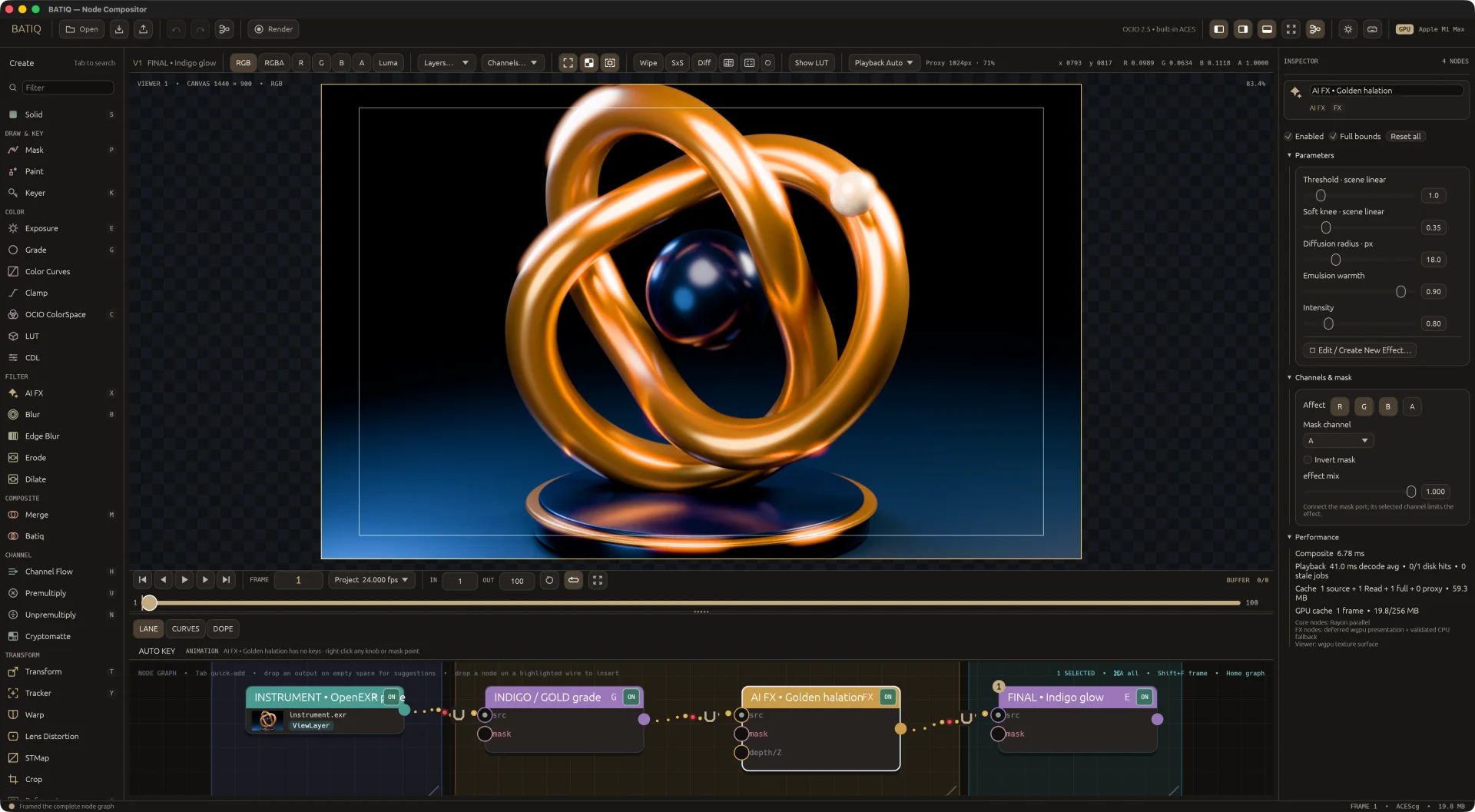
01 / Media & image foundations
Bring your pixels.
32-bit float compositing
Keep the highlights, the shadows, and the values in between in a scene-linear image core.
OpenEXR, layers & channels
Read and write half- and full-float EXRs, with arbitrary flat input channels and layers.
The whole frame
Preserve EXR display and data windows, pixel aspect, and image placement.
Image sequences
Discover and play numbered EXR, PNG, and JPEG sequences.
Video on the graph
Read H.264 and ProRes from MOV, MP4, M4V, and MKV through FFmpeg.
Project formats & Read controls
Set resolution, pixel aspect, FPS, and frame range; adjust source offsets, missing-frame behavior, input color space, and premultiplication.
Solid, Crop & Reformat
Make a color from scratch, trim the canvas, or resize with Lanczos3, bilinear, and nearest sampling.
02 / Compositing & channels
Some assembly encouraged.
Merge operations
Nuke’s Porter-Duff and arithmetic operations (Over, Under, In, Out, Atop, Stencil, Plus, Minus, Divide, Min, Max, Disjoint and Conjoint Over and more) alongside the usual blend modes. Hover one to see its formula.
Batiq / Coverage
Composite edges with an estimate of subpixel coverage overlap.
Channel Flow
Route channels, copy them into any layer, and remove layers. The panel shows what changes, with Quick and Layers tabs.
Premultiply & Unpremultiply
Take RGB into and out of premultiplied alpha, by alpha or by any named channel.
Maths
Add, subtract, multiply, divide, power, min, max, absolute, invert, and remap raw channel values.
Channels & masks
Target RGBA, a layer, or a named channel on supported tools; use dedicated mask inputs to keep adjustments local.
Blur, Clamp & Invert
Soften with Gaussian blur, bound values with Clamp, or invert the channels you pick (alpha only by default).
03 / Color & finishing
Give every pixel a mood.
Grade & Exposure
Shape Lift, Gamma, Gain, Offset, Contrast, Pivot, Temperature, Tint, and Saturation, with color wheels, black and white points, an optional black clamp, and per-channel exposure trims.
Color Curves
Sculpt tonal response with editable curves.
LUT & CDL
Apply lookup tables and color decision list adjustments.
OpenColorIO 2.5
Convert between any spaces in the built-in ACES config, a selected .ocio file, or the OCIO environment setting. Custom configs run in full.
ACES viewing
View scene-linear images through the ACES 1.3 and ACES 2.0 display transforms, on the GPU.
04 / Mattes, roto & paint
Make a little magic. Locally.
Cryptomatte
Pick objects from Cryptomatte passes and put those selections to work as mattes.
Mask & roto shapes
Draw rectangles and closed cubic B-spline shapes directly over the Viewer.
Feather, opacity & inversion
Feather a whole shape or each point on its own, and set opacity and inversion per shape. Shapes go into alpha and the input’s RGB passes through.
Animated roto points
Key control-point X and Y together, edit poses, and inspect their animation tracks.
Keyer
Pull a soft matte from a picked colour or from luminance, with tolerance, softness, inversion, and an optional premultiplied output.
Clone paint
Use the Paint node to clone image detail with a brush.
Erode, Dilate & Edge Blur
Shrink, grow, and soften mattes for a better fit.
05 / Transform, tracking & animation
Put things in motion.
Transform
Translate, rotate, scale, and move the pivot with Viewer controls and animatable parameters.
Corner pin & grid warp
Pin four corners in perspective, then add grid points for curved deformations in the same Warp node.
2D point tracking
Track image patterns with editable markers, search boxes, and a visible solved path.
Match-move & stabilize
Apply translation, rotation, and scale solves, or remove jitter; tracking runs in the background and can be stopped.
Lens Distortion & STMap
Distort or undistort a lens, and remap an image through an ST map read from any named layer.
Motion blur
Transform, Tracker and roto shapes blur along each pixel’s real path through the shutter, with a Quality setting. Chained Transforms concatenate, so the image is filtered once.
Vector Blur
Motion-blur CG renders from their motion-vector pass. Presets find the vectors for Nuke, Redshift, Arnold, Cycles, RenderMan, V-Ray, Unreal, Karma, Octane and Mantra; a depth channel keeps still foreground sharp.
Keyframes & curve editor
Animate node parameters with Step, Linear, Ease In, Ease Out, and Smooth interpolation, plus Auto Key and exact frame editing. Warp points get the same point menu, nudging and keying as roto points.
Expression Studio
A little wiggle. A big personality. Build procedural animation with wave, noise, bounce, and spring presets. Shape the motion, blend its influence, preview it live, or edit the formula. No baked keyframes.
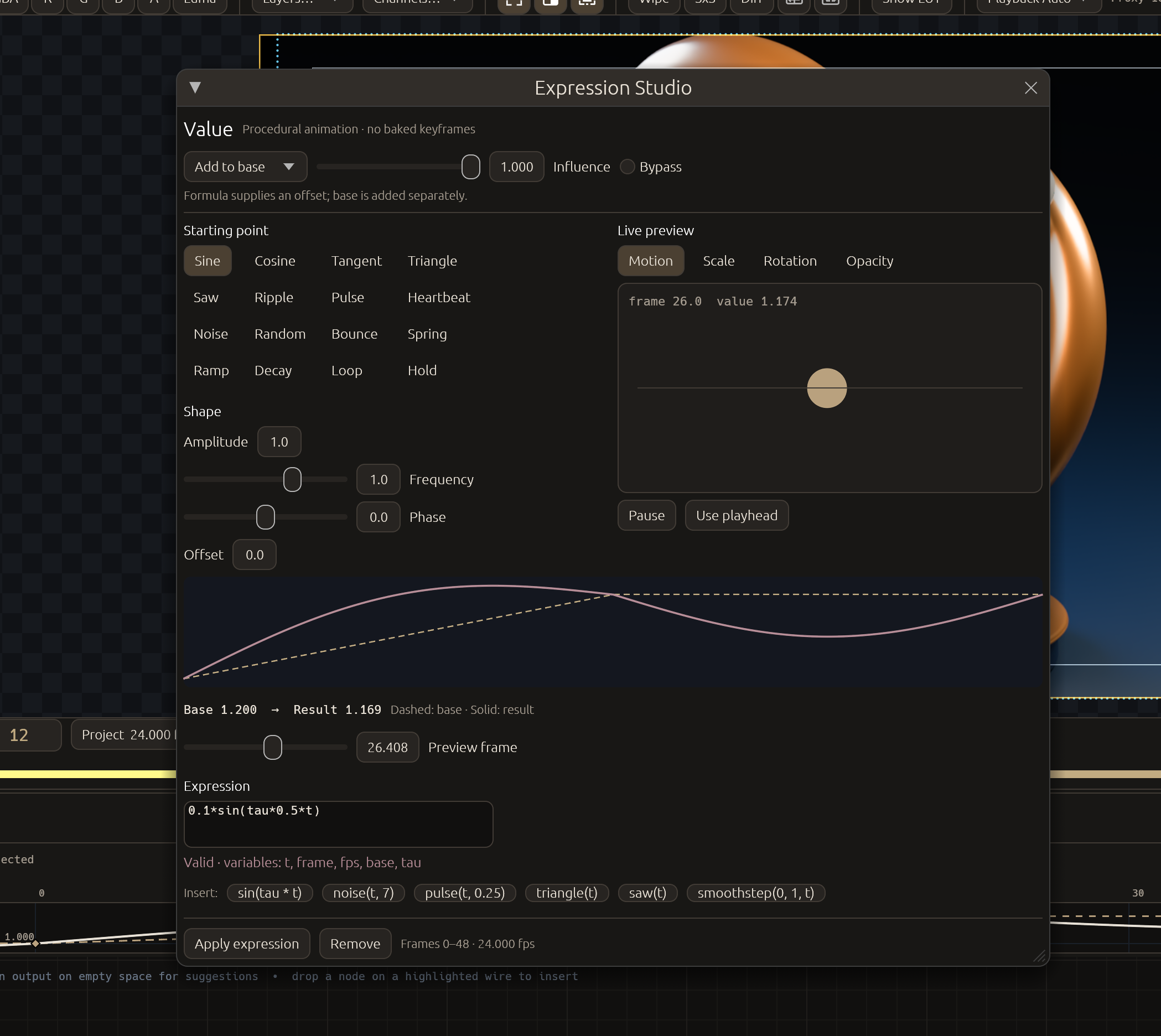 Open screenshot ↗
06 / Graph & reusable setups
Big ideas. Tidy graphs.
Horizontal or vertical
Build your graph in either orientation, with shared port and connection behavior.
Quick-add & smart connections
Search tools with Tab, connect from either end, insert a node on a wire, get next-node suggestions, and lift selected nodes out of a chain with Ctrl+X.
Living wires
Wires sit calm at rest and show a pulse when something upstream re-renders, so you can see what an edit touched.
Remote Link & Linked Input
Send an image, a colour or a value to named wireless receivers without a wire crossing the whole graph.
Functions
Package node setups into reusable functions with exposed controls and shared master edits.
Switch & Variants
Choose graph branches, organize options and presets, and render combinations through Write permutations.
Backdrops, magnets & layout
Organize sections of a graph and arrange connected nodes with auto-layout.
Disable, reset & undo
Bypass a node, reset an individual control or a whole node, and step back through 64 levels of graph undo/redo.
07 / NodeGen & image effects
Prompt a Node into existence.
NodeGen
Describe an effect and a local Ollama model writes it as a small kernel script. BATIQ compiles it for the GPU and the CPU, test-renders it, and sends any problem back to the model to fix. Nothing leaves your machine. Needs a local model; without one, the closest preset is used.
Code you can keep
Read and edit the script in the Code tab, animate its controls, add masks, and save it with your project. Apply is one undo step.
Lens Flare
A photoreal flare from a light you drag in the Viewer, with six lens looks: Cinematic, Anamorphic, Sun, Vintage, Sci-Fi and Modern.
Light & atmosphere
Build looks with optical halation, HDR-protected bloom, and filmic contrast.
Focus & detail
Explore detail equalization, depth-driven defocus, and shaped-aperture lens defocus.
Distort & refract
Use turbulence refraction, lens distortion, and chromatic fringing or correction.
GPU processing
Supported effects and node chains use GPU compute, with CPU fallback paths. Performance depends on the graph and hardware.
08 / Viewer & everyday workflow
Stay in the flow.
Graph, Viewer & timeline
Build the comp, see the frame, and work with clips and animation in one native workspace.
Numbered Viewer routing
Select a node and press 1–9 to send it to a numbered Viewer.
Compare views
Inspect alternative results with Viewer comparison and wipe controls.
Interactive overlays
Edit transforms, masks, warps, paint, and tracking directly against the image.
4K playback at Full
Finished Viewer frames are cached on the GPU and on disk, so long 4K EXR comps play in real time at full resolution and stay cached when you reopen the project.
Caching & proxies
Parallel decoding, render-ahead, RAM caches sized from installed memory, and smaller proxy tiers when you want them.
Menus & channels
A File, Edit and View menu bar with New, Save As, recent projects and an unsaved-changes prompt; a Viewer channel menu you can filter by typing.
09 / Rendering & automation
From happy accident to output.
Write nodes
Render EXR, PNG, and JPEG outputs with numbered #### or %04d sequence patterns.
Output controls
Choose channels, half or float EXR data, ZIP/PIZ/RLE compression, color conversion, and guarded frame ranges.
Variant renders
Turn selected options into multiple outputs with Write permutations.
Headless CLI
Validate, migrate, edit, key, and render projects through the JSONL command-line interface. Everything the desktop edits, scripts can edit too.
Python
Script with embedded Python, the Python editor, and an external SDK for pipeline integration.
Deadline & AYON
Send render jobs to Deadline, and use the separate AYON add-on to load images, save workfiles and publish renders with reviews.
Saved projects
Keep graphs, parameters, and animation together in JSON-based BATIQ projects that older versions migrate forward.
In-app updates
BATIQ checks for new releases, downloads and checksums the update, and shows the notes for every version you skipped.
Free & native
Available for macOS, Windows, and Linux. Download it and make something.